终极密码管理方案
发布于: 2026-01-13
配置文件密码管理
这里使用 sops, ssh-to-age 对配置文件进行加密,这样你就可以把你的配置文件上传到 GitHub,如果你想下次再换机子使用,直接 copy ~/.ssh/id_ed25519 就可以了。
$ nix shell nixpkgs#sops nixpkgs#ssh-to-age
$ TMP_KEY=$(mktemp)
$ ssh-to-age -private-key -i ~/.ssh/id_ed25519 > "$TMP_KEY"
$ printf '%s' '"jhklfrieucvnh1111"' | SOPS_AGE_KEY_FILE="$TMP_KEY" sops set --value-stdin secrets/xxx.yaml '["this-new-key1"]'
$ rm -f "$TMP_KEY"
|
sops = lib.mkIf (userHome != null) {
  defaultSopsFile = ../secrets/xxx.yaml;
  gnupg.sshKeyPaths = [ ];
  age.sshKeyPaths = [ "${userHome}/.ssh/id_ed25519" ];
  secrets = {
    "this-new-key1" = { };
    "this-new-key2" = { };
};
|
{ config, ... }:

let
  secret = name: {
    _secret = config.sops.secrets.${name}.path;
  };
in
{
  key1 = secret "this-new-key1";
  key2 = secret "this-new-key2";
}
|
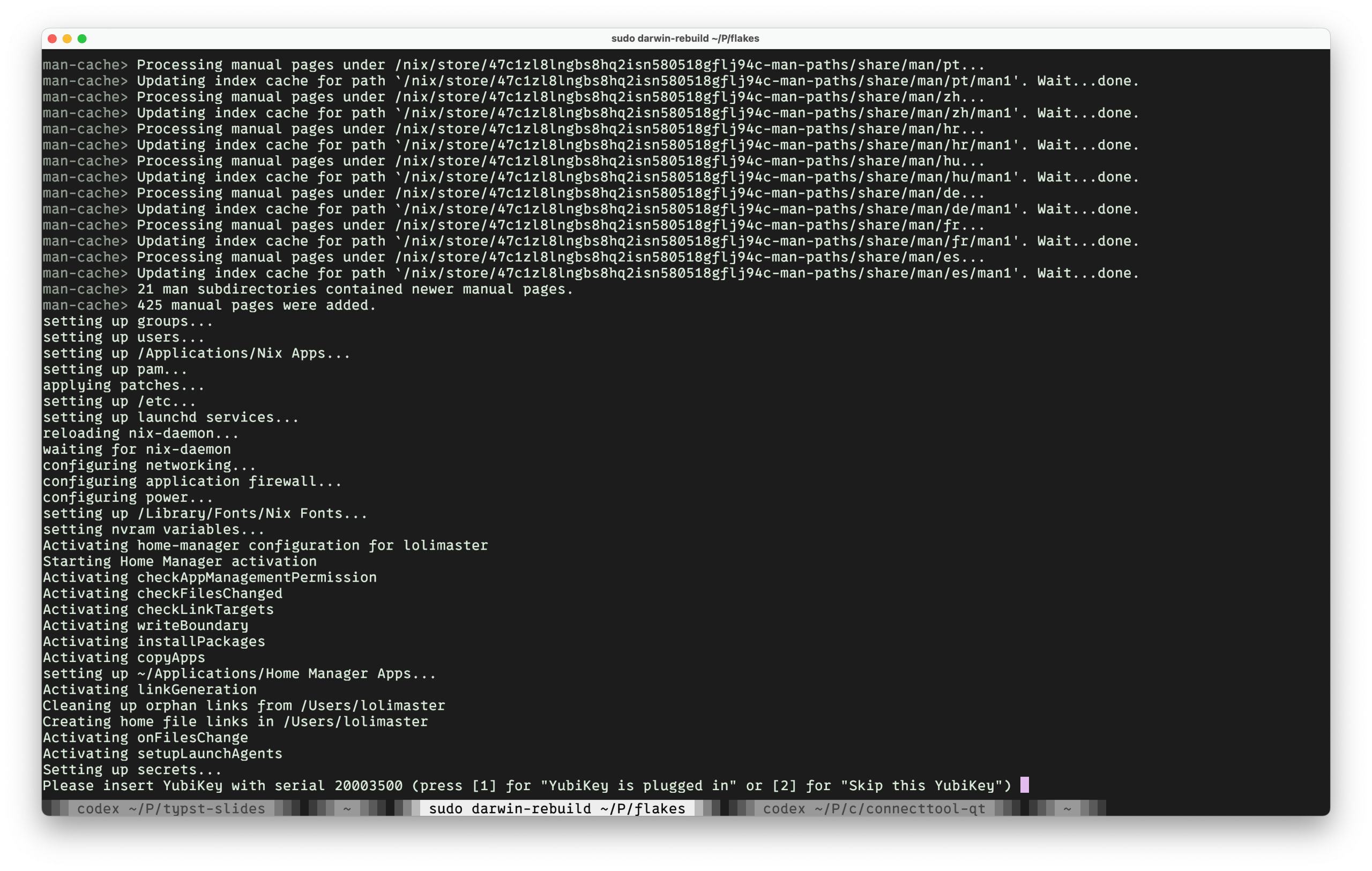
至此,在你下一次 rebuild 操作系统时,就会提示出插入物理密钥的提示。
Plaintext 密码
这里我用的方案是物理密钥 + pass 并把 password-store 存到 GitHub 上。
首先生成你的 gpg 密钥,然后把公钥上传到 GitHub 或者是其他的 key store。
$ pass init
$ pass git init
$ pass insert GitHub/moeleak
$ pass insert -m GitHub/moeleak
$ pass GitHub/moeleak
$ pass git remote add origin https://github.com/moeleak/password-store
$ pass git push
|
在另一台设备上
$ curl https://github.com/moeleak.gpg | gpg --import
$ gpg --edit-key <KEY_ID>
$ trust
$ pass git clone https://github.com/moeleak/password-store
$ pass GitHub/moeleak
|
FIDO
使用 canokeys。


